Google Chat
- 4.4
- Rating
- 50.00M
- Installs
- Free
- Price

 Analysis by App-foxy
Work conversations often become harder than the work itself. A quick question starts in email, turns into a group thread, gets buried under unrelated replies, and eventually requires another message asking everyone to confirm what was already decided. I tried Google Chat with that recurring problem in mind, and its main value became clear quickly: it gives ongoing conversations a more focused home inside the Google Workspace environment instead of forcing every exchange into an inbox.
This is a free business app from Google LLC, available for everyone to use from an age-rating perspective. It has built a substantial audience, with more than 50 million installs and an average score of 4.4 from roughly 336 thousand ratings. Those figures do not automatically make it the right messenger for every team, but they do reflect a mature tool that many people already encounter through work, school, clubs, or shared projects.
My opinion is straightforward: Google Chat is most useful when your group already relies on Google services and needs a calmer way to handle short decisions, recurring discussions, and small pieces of coordination. It is less convincing as a universal social messenger or as a replacement for a full project-management system. The difference depends less on the chat window itself and more on how deliberately you organize conversations around it.
You May Also Like

 AccuWeather: Weather Radar
AccuWeather Review: A Quick, Clear Forecast for Everyday Decisions
For everyday plans, the best forecast is the one you can understand quickly. AccuWeather makes rain timing, radar, and local conditions easy to act on, with a few trade-offs.

 Hill Climb Racing
Why Hill Climb Racing Still Turns Crashes Into One More Run
A tiny car, a bumpy hill and one more upgrade: Hill Climb Racing keeps resurfacing because its simple chaos makes every near-miss feel personal.

 AliExpress - Shopping App
AliExpress Makes Global Shopping Feel Personal, but Shoppers Bear the Risk
AliExpress turns a global marketplace into a pocket-sized discovery engine. Its reach is useful, its shopping loop compelling, and its trade-offs easy to miss.

 Lords Mobile: Kingdom Wars
Lords Mobile Is a Kingdom-Building Routine, Not a Quick Match
A case-by-case verdict on the building, battles, device demands, and social commitments that make Lords Mobile rewarding for some players and exhausting for others.

 PDF Scanner app - TapScanner
TapScanner Makes Paperwork Easier to Capture, Check, and Share
TapScanner makes scanning with a phone feel less like a rescue operation and more like a dependable step in getting work done. Its capture tools are useful, though not flawless.

 Block Blast!
Block Blast! Shows How Much a Puzzle Game Can Leave Out
A quiet grid game shows why puzzle players increasingly value instant clarity, repeatable skill and low-pressure play—and where the genre still needs to catch up.
More From Our News Desk
View All News


Where Google Chat saves time in real work
I find Google Chat most valuable when a team uses it to keep a decision attached to the conversation that produced it, rather than treating every message as something that needs an immediate reply. A useful next step is to agree on which discussions belong in a shared space and which should remain private, since that choice affects who can follow the context. That everyday discipline also raises a practical question: what should users consider before putting sensitive work details into chat?
The problem it removes is scattered conversation
The first benefit is not a flashy function. It is separation. Email is excellent for formal messages, external contacts, and information that deserves a clear record, but it becomes awkward when a team needs several quick replies in one day. A traditional group text is fast, yet useful decisions can disappear between personal messages, notifications, and unrelated jokes. Google Chat sits between those two habits.
I found it particularly practical for conversations that have a life longer than a single exchange. A team can keep one discussion focused on a launch task, another on customer follow-up, and another on routine administration. That simple separation reduces the familiar “what are we talking about?” moment when someone joins a conversation late or returns after being away.
The important distinction is that this is not just a faster inbox. If you treat every message as an urgent alert, the app can reproduce the same interruption problem you were trying to escape. Its usefulness comes from giving each subject a recognizable place, then allowing people to check that place when they have the right context.
Getting to a useful first setup
My advice is to avoid creating a space for every tiny thought. Start with the conversations your group repeats: a client account, a weekly operation, a product area, or a shared responsibility. A small number of clearly named spaces is easier to maintain than a long list of rooms that nobody remembers to check.
Before inviting everyone, decide what belongs in the conversation. For example, a support team might keep customer questions in one space, internal process changes in another, and casual coordination in a direct message. This sounds obvious, but it prevents an important decision from being hidden among unrelated updates. The best setup is a filing habit, not a collection of empty rooms.
I also recommend agreeing on a lightweight writing style. Put the subject in the first line, identify the requested action, and mention a useful deadline when one exists. That makes the conversation easier to scan on a phone and reduces follow-up questions. Google Chat cannot organize a vague message for you; it only gives that message a better place to live.
For a new user, the first practical question is whether the app works alone or only as part of a larger work arrangement. It is a business-focused chat tool connected to Google Workspace, so its strongest use appears when the people you need to reach already share that environment. If your friends or clients use another messenger exclusively, asking them to move for a single conversation may create more friction than it removes.
A realistic day with the app
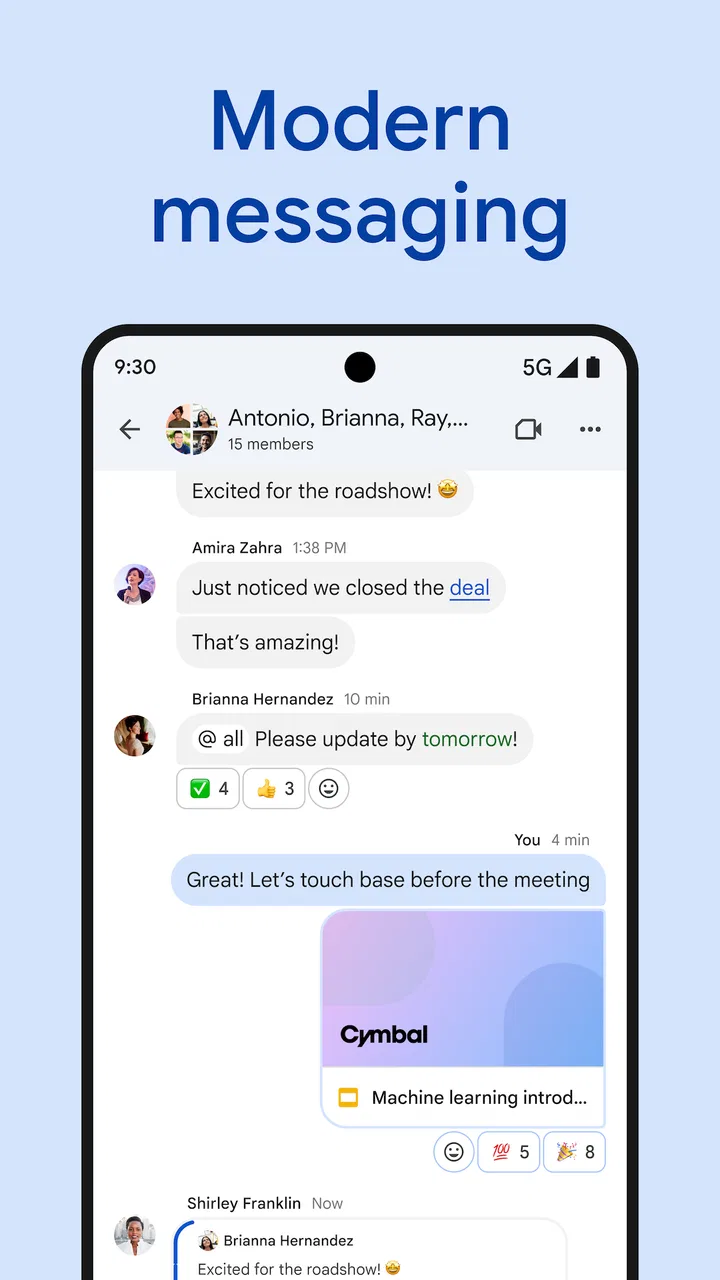
Imagine a small team preparing a presentation. In the morning, one person posts the latest question in the relevant conversation instead of sending a separate email to every colleague. Another replies with a clarification, a third adds a concern, and the group settles on a direction. Later, someone who was unavailable can read the thread and understand the reasoning without asking the team to repeat the whole discussion.
That scenario is modest, but it is exactly where Chat earns its place. The app is not doing the creative work or making the decision. It is reducing the number of places where the decision might be lost. I especially like this for handoffs: when responsibility moves from one person to another, a focused conversation gives the next person useful context without requiring a long private briefing.
Another good use is a recurring meeting. Instead of allowing every meeting to generate a fresh email chain, the group can keep questions and follow-up notes in a consistent conversation. The benefit is not that the messages become magically searchable or perfectly organized; it is that the team develops a predictable destination for the topic.
Small workflows that make a noticeable difference
One of my favorite habits is to turn a message into a checkpoint. After a decision, I write a short summary in the same conversation: what was agreed, who owns the next step, and what would change the plan. This is more useful than leaving the conclusion buried several replies below the original question. It also helps people who read the discussion later on a smaller screen.
A second useful habit is to separate discussion from announcement. If a decision needs debate, keep the reasoning in the conversation. Once the decision is made, post a compact final note that can be understood without reading every reply. This prevents a common chat failure: a technically complete history that is still exhausting to interpret.
A third trade-off concerns notifications. I would not enable every alert by default for a busy space. Use notifications for conversations where timing matters, and check lower-priority spaces at planned intervals. Otherwise, the app becomes another source of fragmented attention. The time saved by avoiding email clutter can disappear if every minor reply demands an immediate response.
These habits are not hidden buttons, but they are the difference between a useful workspace and a noisy message stream. Google Chat rewards teams that establish simple conventions early. Individuals can benefit from it, but the larger gains appear when everyone uses the same structure.
How it compares with familiar alternatives
Compared with email, Chat feels better for quick back-and-forth discussion. Email still wins when the audience is external, the message needs a formal presentation, or recipients need a clear standalone record. I would not move an important customer-facing explanation into a chat conversation merely because replies are faster there.
Compared with ordinary group messaging, Chat is more suitable for work because conversations can be arranged around ongoing subjects rather than one constantly moving social feed. The trade-off is that it may feel less natural for informal groups whose members already communicate comfortably in another app. A tool can be technically appropriate and still fail if nobody wants another place to check.
Compared with a dedicated project-management platform, Google Chat is lighter and quicker to start. It works well for discussion, clarification, and coordination. It is not the tool I would choose as the sole system for detailed task dependencies, formal project reporting, or a large operational database. If your main need is a visual plan with structured ownership and progress tracking, a specialized service will usually be stronger.
Compared with a workplace platform built around channels, files, and extensive integrations, Chat can feel more focused. That simplicity is an advantage for a small group that wants less setup. It can also be a limitation for a company that expects every process to be deeply automated or extensively customized. In my experience, the right choice is the one that matches the team’s existing habits rather than the one with the longest feature list.
Where the friction still appears
The biggest weakness is organizational, not cosmetic. A conversation can still become a wall of messages if participants post several unrelated subjects in the same place. Threads and spaces help, but they do not replace clear writing. When a group grows, finding the one useful answer among many short replies can take patience.
There is also a social cost to adding another communication channel. Some people will continue using email, others will prefer direct messages, and a few may check the app only when reminded. That split can create duplicate conversations. Before adopting Chat broadly, I would decide which types of communication belong there and which should remain in email or another established tool.
New users may also need time to understand the difference between a direct conversation and a shared space. That distinction matters because a private exchange is appropriate for a one-to-one question, while a space is better for knowledge the wider group may need later. Without that basic rule, information becomes fragmented even though everyone is technically using the same app.
I would also avoid judging the app by whether it can replace every other work tool. It is strongest as a communication layer. If you expect it to serve as a complete archive, task board, document system, and meeting replacement, disappointment is likely. Its focused nature is useful precisely because it does not try to make every work activity happen inside one screen.
Who should use it and who should skip it
I would recommend Google Chat to teams already using Google Workspace, especially those dealing with frequent questions, recurring handoffs, and small decisions that do not deserve a new email chain. It is also a sensible option for people who need conversations to remain connected to a familiar business environment rather than scattered across consumer messaging apps.
It is a good fit for a distributed team that needs asynchronous context, a small department coordinating daily work, or a project group that wants a simple place for discussion before recording the final outcome elsewhere. The app is free, which makes trying it less demanding for an individual or small group, although the real value still depends on whether the whole team participates consistently.
I would skip it if your group already has a reliable communication system and adding another app would only duplicate notifications. I would also look elsewhere if your central requirement is advanced project control, a formal customer-support queue, or a public community with a broad social identity. Chat can support those workflows in limited ways, but it is not the best foundation for them.
My final judgment after using it
Google Chat succeeds by addressing a dull but expensive problem: work conversations are often difficult to retrieve, follow, and finish. When I use separate conversations for separate responsibilities, summarize decisions, and keep notifications under control, it saves time and reduces repeated explanations. Those gains are practical rather than dramatic, which is exactly why they matter in a normal workday.
Its limitations are equally clear. The app cannot impose discipline on a disorganized team, and it should not be mistaken for a full project-management system. People who dislike switching between services may find the additional channel irritating, while teams outside the Google Workspace orbit may gain little from adopting it.
Still, for the right audience, I think Google Chat is an easy recommendation. It is a free Business app from Google LLC, rated for Everyone, and it has been available since February 28, 2018. More importantly, it gives everyday work questions a place where they can be answered, revisited, and closed without constantly competing with the rest of the inbox.
If your recurring frustration is “I know someone answered that, but I cannot remember where,” this app is worth trying. Set up only the conversations you genuinely need, establish a rule for summaries and notifications, and judge it by the time your team stops spending on repeated explanations. That is where its usefulness becomes real.
FAQs for Google Chat
01What is Google Chat and how is it different from other messaging apps?
Google Chat is a communication tool that integrates seamlessly with Google Workspace, providing features like direct messaging and group conversations. Unlike other messaging apps, Google Chat is designed for business environments, offering integration with Google Docs, Sheets, and Calendar, enabling collaboration on projects directly within the chat interface.
02Can I use Google Chat for free, or does it require a Google Workspace subscription?
Google Chat is available for free to anyone with a Google account, but some advanced features are exclusive to Google Workspace subscribers. For instance, Workspace users can access enhanced administrative controls, security features, and integration capabilities that are not available in the free version.
03Is Google Chat secure, and how does it protect my data?
Yes, Google Chat is designed with security in mind, featuring encryption for messages in transit and at rest. It adheres to Google's stringent data protection policies, ensuring your conversations remain private. Additionally, Google Chat complies with various industry standards, providing peace of mind for both individual and enterprise users.
04How does Google Chat integrate with other Google services?
Google Chat integrates smoothly with other Google services like Gmail, Calendar, and Google Drive. You can start a chat directly from Gmail, schedule meetings through Calendar, and share files from Drive, all within the Chat interface, enhancing productivity and streamlining communication workflows.
05What platforms and devices support Google Chat?
Google Chat is accessible on a wide range of platforms, including web browsers, iOS, and Android devices. This cross-platform availability ensures you can stay connected and collaborate with your team from virtually any device, whether you're at your desk or on the go.
Pros
- Seamless integration with Google Workspace.
- User-friendly interface
- easy to navigate.
- Supports both 1:1 and group conversations.
- Strong security features and encryption.
- Real-time notifications for instant updates.
Cons
- Limited customization for themes and layouts.
- Requires a Google account for access.
- No support for read receipts.
- Limited third-party app integrations.
- Lacks advanced project management tools.

Google Chat
Gallery